Delete a File
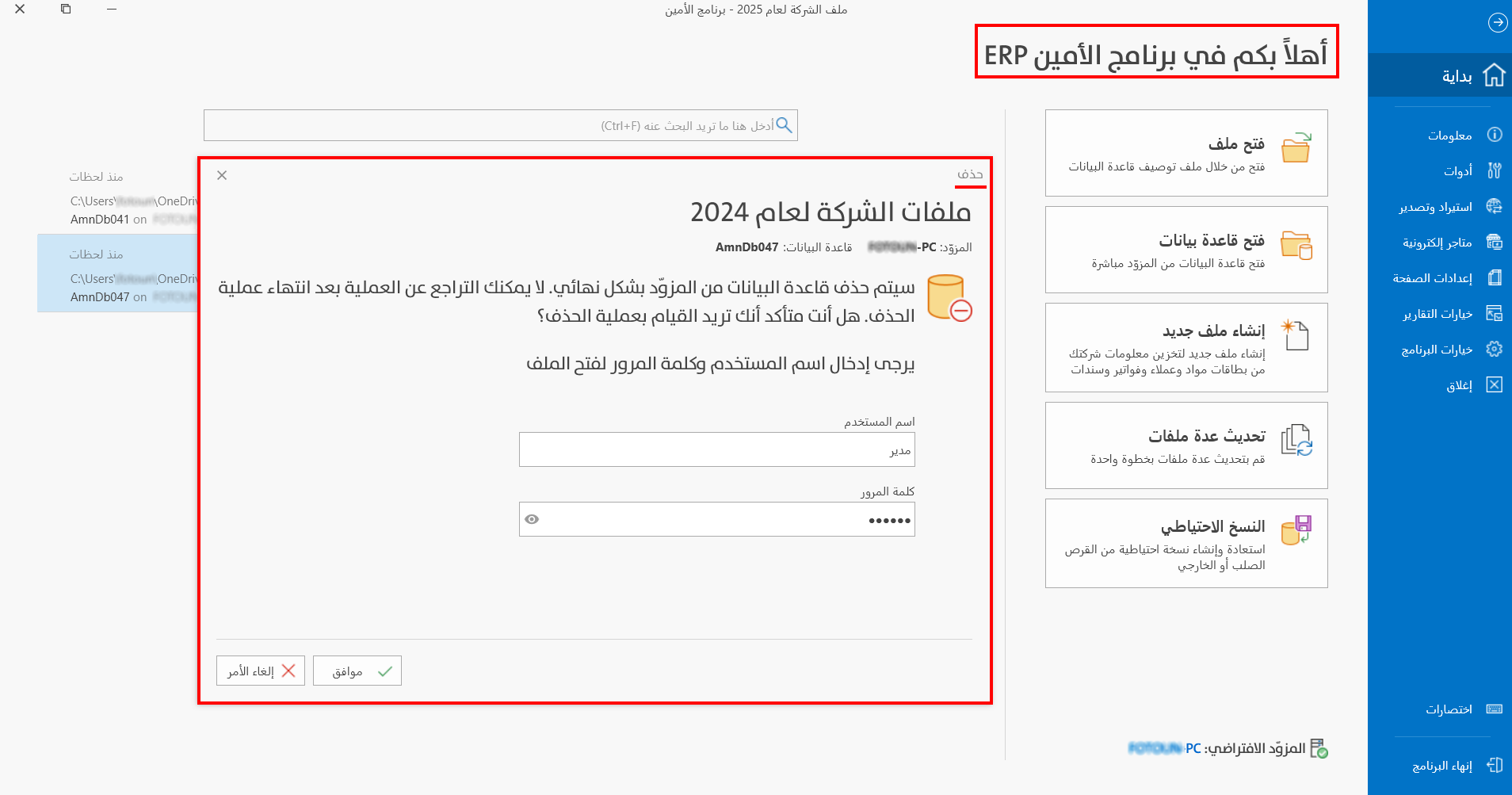
You can delete a file from the files list when you no longer need it at all. Deleting the file deletes its database from the server, so you cannot undo the operation once you confirm it.
warning
Deleting the file deletes its database from the server, so you cannot undo the operation.
You can delete the file from the program's welcome screen by right-clicking the file name, and the following menu appears:
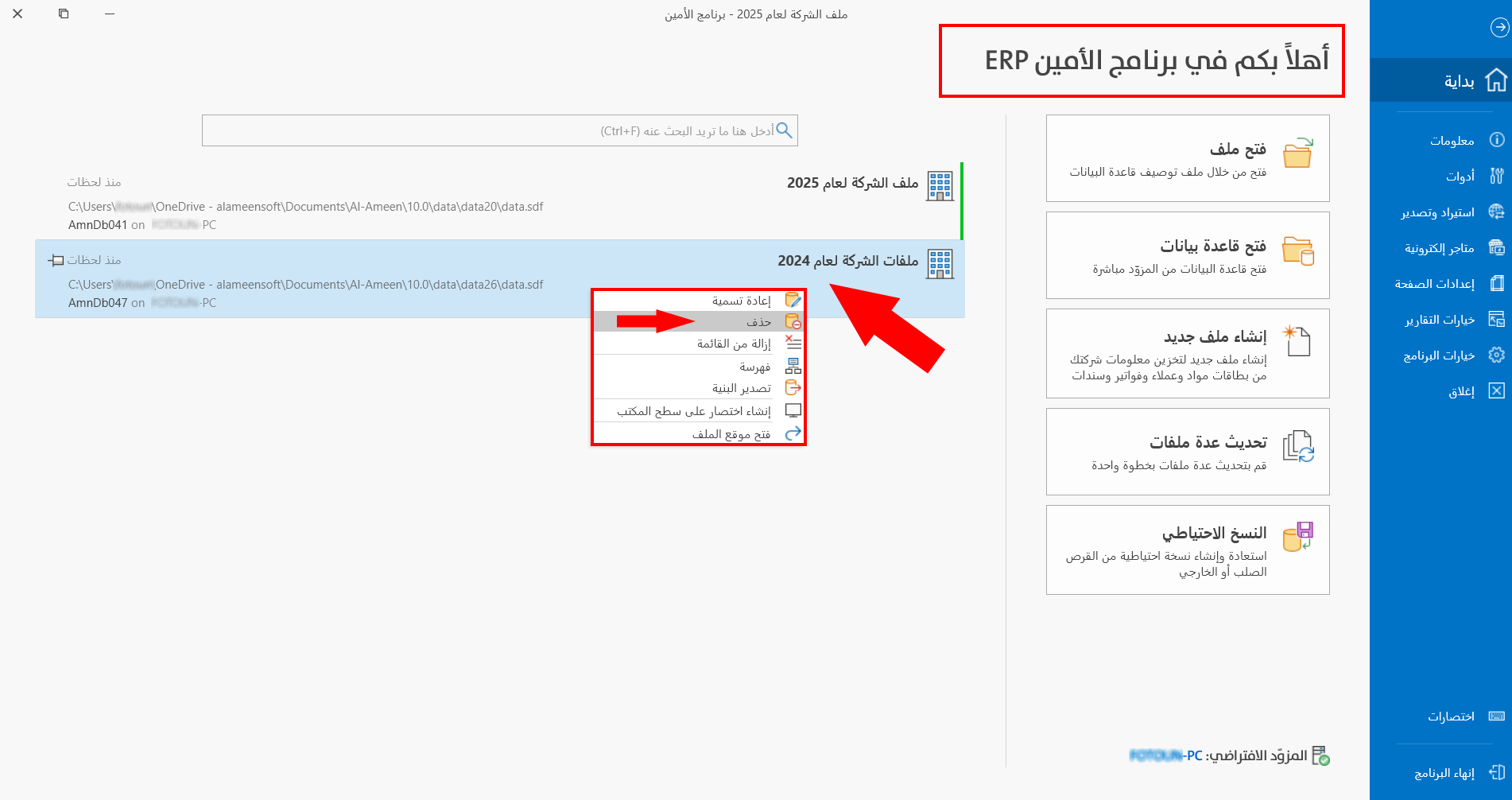
Choose "Delete", and a window opens in which you can confirm the deletion.
Tip
You cannot delete the file before logging out of it, so when you right-click the name of the current file, the "Delete" option in the menu is unavailable.