Create a Desktop Shortcut
You can pin your company file to the computer's desktop to reach it faster: go to the welcome window from the "File" tab on the main ribbon.
Right-click the file you want to create a shortcut for, and the following menu appears:
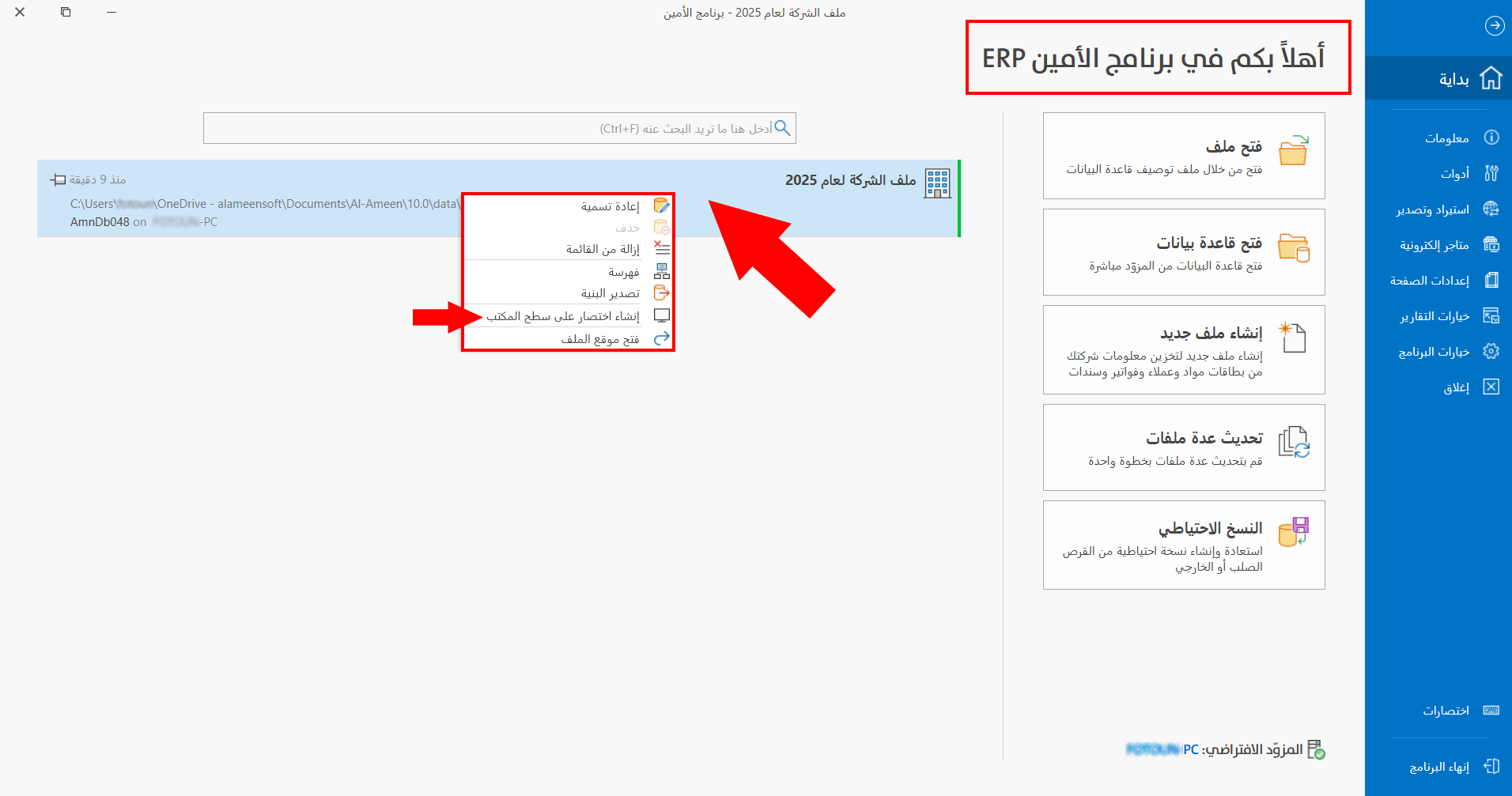
Click "Create a desktop shortcut", and the following window opens:
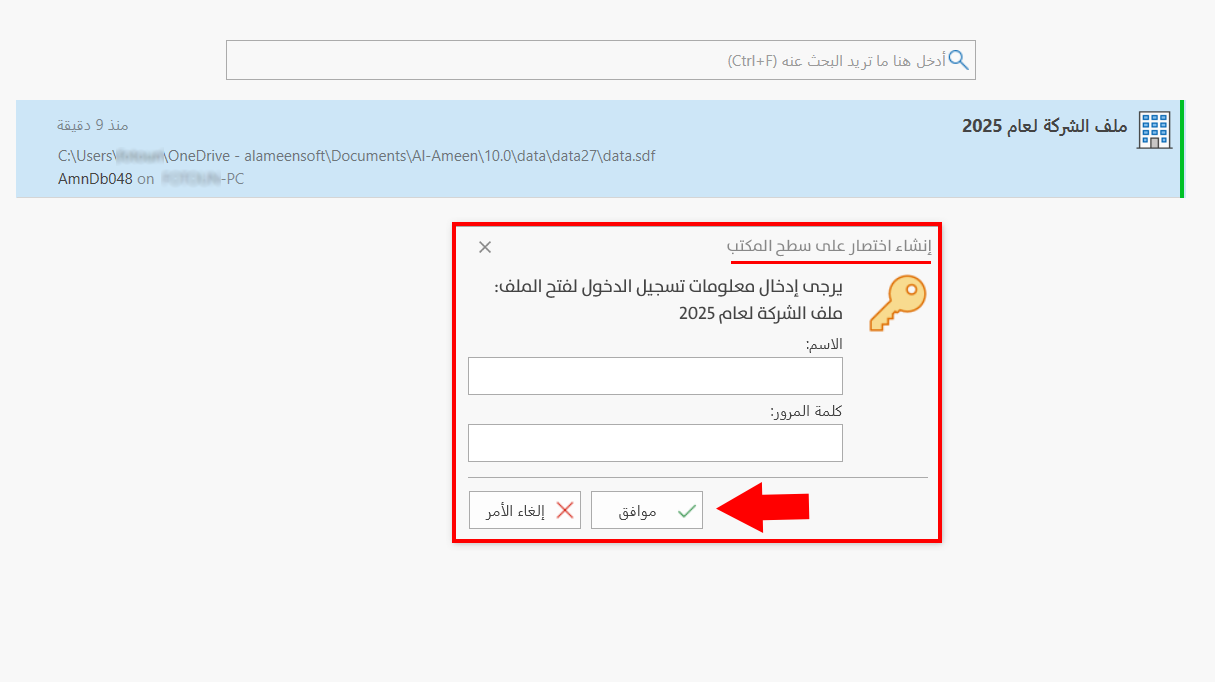
Enter the login information, that is, the user name and its password, in the fields of the window.
After you click "OK" in the window, the shortcut is placed on the desktop automatically with the same name set in the program, so you can open the file directly through it, while the original file stays where it is.