Understanding Invoice Forms
The invoice form is the template that sets how the invoice behaves, its fields, and its default accounts. Understanding forms early therefore saves many changes later.
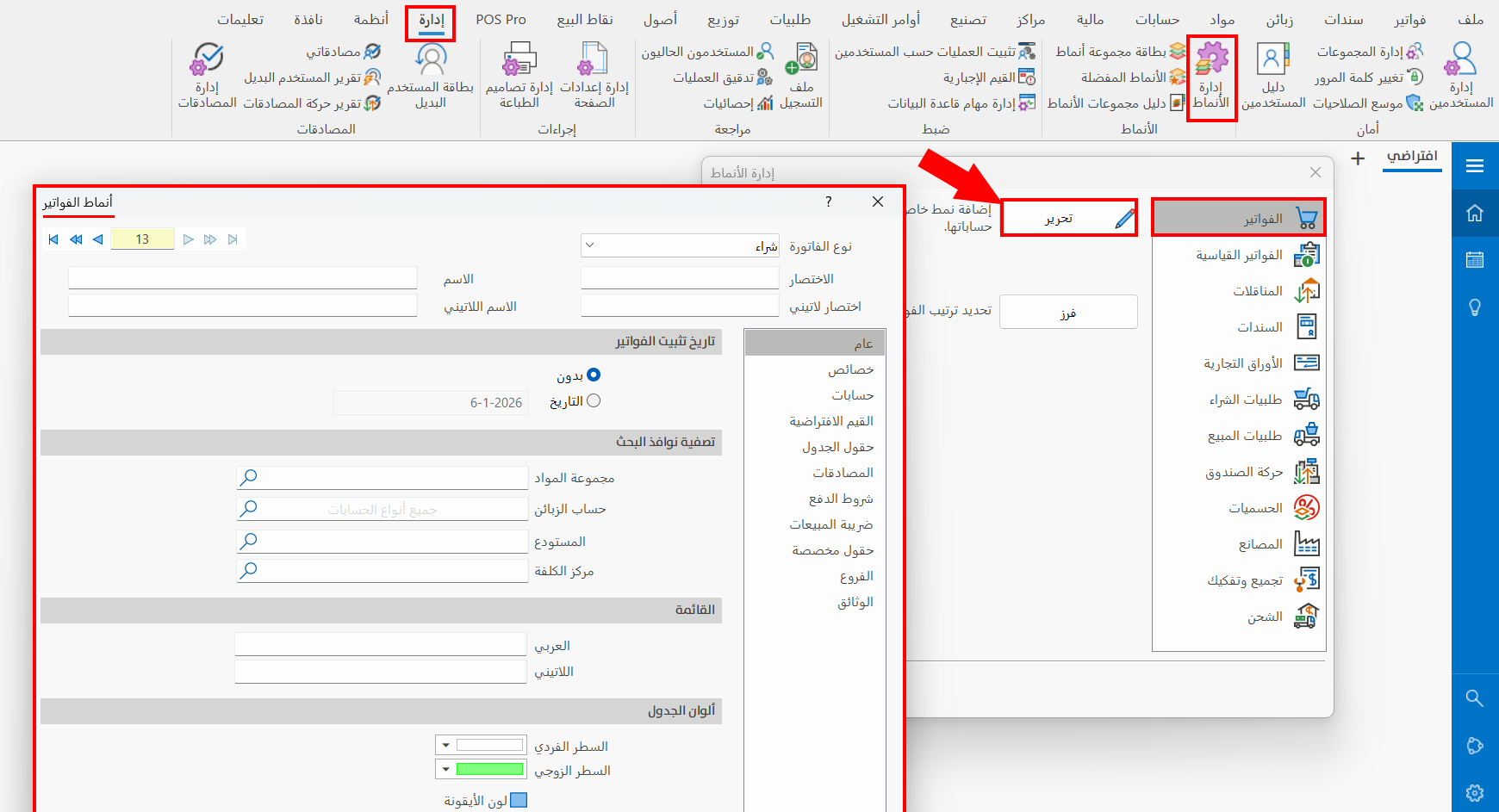
In this window you set the forms that control how purchase, sales, return, and other invoices behave.
What Matters at the Start?
- You do not have to create new forms from day one.
- The standard forms are usually enough to start.
- You only need to know that the form controls the operation type, the fields, and the accounting defaults.
When Are the Standard Forms Enough?
They are enough when your work cycle is straightforward:
- Ordinary purchasing.
- Ordinary selling.
- Purchase returns.
- Sales returns.
- Entering the opening inventory.
When Do You Create a New Form?
Create a special form only when you need one or more of the following:
- Keeping a particular type of invoice in a separate menu.
- Changing the fields shown in the invoice.
- Changing the default accounts or the resulting entries.
- Enforcing a different way of working on a particular type of operation.
What Should You Watch When Customizing?
- The invoice type.
- The name and the abbreviation.
- The default accounts.
- The lock date, if you prevent modifications after a certain period.