Notes About the File Location
The notes window appears after you click "Next" in the Select Shortcut Location window, which brings you to the fourth stage of creating the file. In this window, the program points out that the real files will be stored on SQL Server.
The shortcut itself is not very important; it only makes it easier to reach the real information. No accounting information is stored in it, or in the location that holds it.
To understand how information is stored on SQL Server, and what the shortcut means for the information, please see the program help. Understanding this is important for making backups and for not losing any accounting information if problems occur on the computer.
To continue creating the file, click the check box next to the following statement:
I have understood how information is stored on SQL Server and how it differs from the location of the files shortcut.
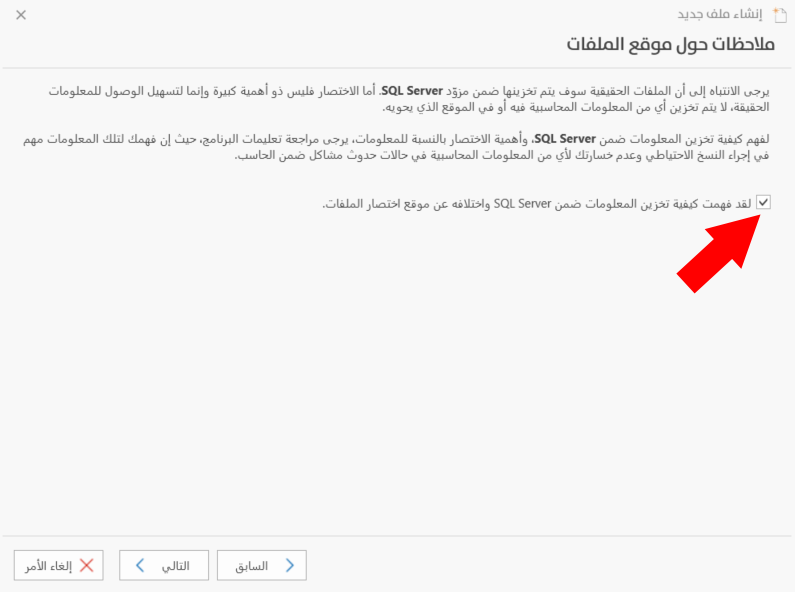
After you click the check box, the "Next" button is enabled. Click it to go to the fifth stage of creating the file, "Back" to return to the third stage, or "Cancel" to cancel creating the file.