Enter User Name
After you click "Next" in the Enter Files Description window, the program moves to the sixth stage of creating a new file: entering the user name.
Define the user name and the password with which you will log in to this file later.
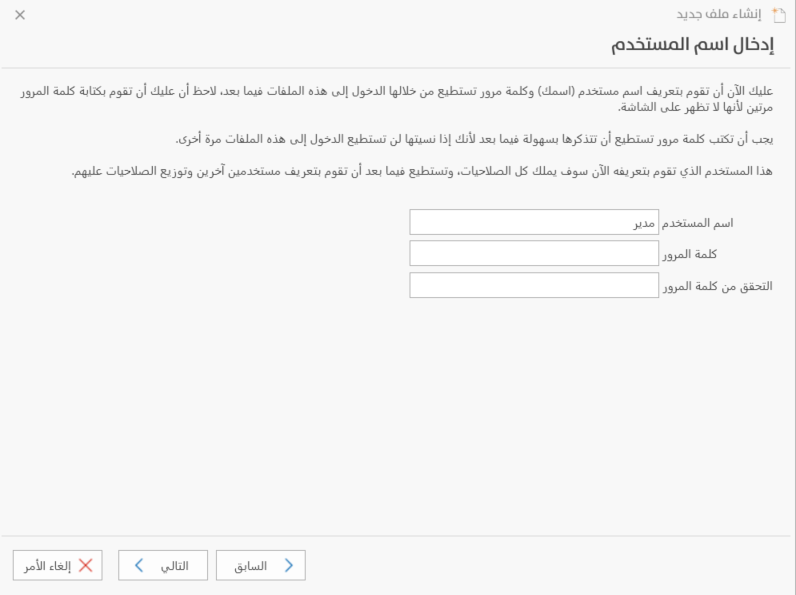
User Name
Enter in this field the name of the administrator user, your own name, or the name used to log in to the file. This user has all permissions to work in the program and sets the permissions of the other users.
Password
Set in this field a password for logging in to the files, so that other users cannot access your accounts in the program.
Verify Password
Type the password again to confirm it in the program. Choose a password that is easy to remember: if you forget it, you will not be able to log in to the files again.
Click "Next" to go to the seventh stage, "Back" to return and make changes in the previous windows, or "Cancel" to cancel creating the file.