Select Shortcut Location
The Select Shortcut Location window appears after you click "Next" in the Select Creation Template window; it is the third stage of creating a new file.
To carry out warehouse and accounting operations, files must be created to store the material and customer cards and the accounting and warehouse operations.
The files will be created on SQL Server with the options you set in a later window, and a shortcut will be created through which you open those files. Select the location of that shortcut.
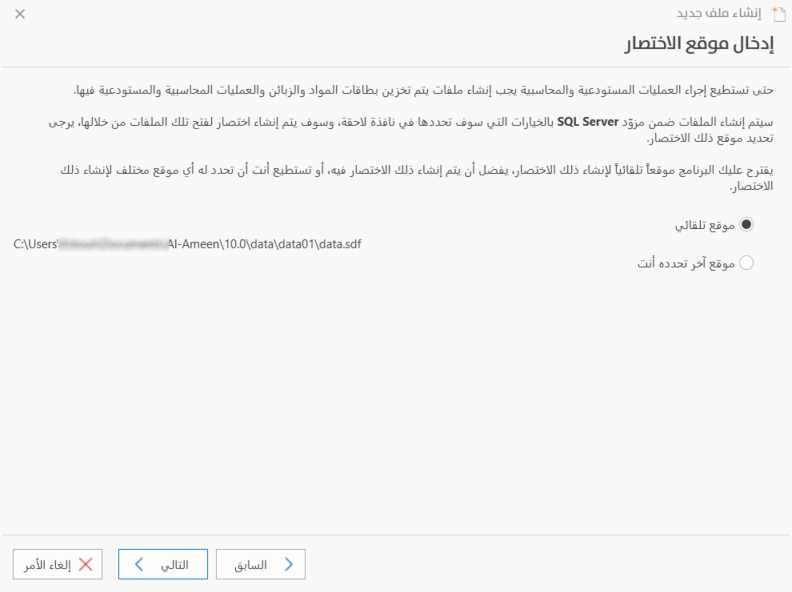
The program suggests a location for the shortcut automatically, and it is best to create the shortcut there; you will see that it is selected by default in the window.
You can also choose a different location for the shortcut. In that case, click the "Selected Location" option, then click the three dots that appear in the shortcut field. A window opens in which you choose the shortcut location; after you click "Save" in this window, the location is set to what you chose.
Click "Next" to go to the fourth stage of creating the file, "Back" to return to the second stage, or "Cancel" to cancel creating the file.