Select Creation Template
After you start creating the new file, the Select Creation Template window appears. The program offers a (default) template to all users when the computer is not connected to the internet.
If the computer is connected to the internet, a list of templates (restaurants with periodic inventory, accounting and warehouses with continuous inventory...) and charts of accounts (simple chart, unified chart of accounts (Saudi Arabia)...) also appears, in addition to the default template.
When you click a template, the opposite side of the window shows information about the template's contents and what has been prepared in it. For example, if you click the unified chart of accounts template (Syria), the second part of the window shows the contents of the template, as follows:
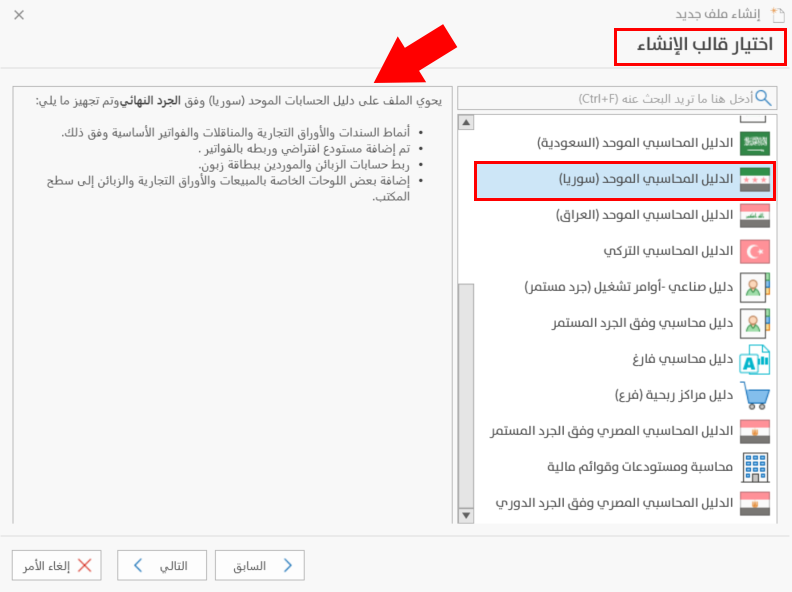
After you select a template, click "Next" to go to the third stage of creating a new file, entering the shortcut location; "Back" to return to the first stage; or "Cancel" to cancel creating the file.